OpenArm is a fully open-source 7-DOF (degrees of freedom) humanoid robot arm developed by Enactic, Inc. (Tokyo, Japan). Designed specifically for physical AI research and contact-rich environments, OpenArm’s core strengths lie in its high backdrivability and compliance — enabling safe human-robot interaction alongside real-world payload capacity. Whether you’re into teleoperation, imitation learning, simulation training, or real-world data collection, OpenArm delivers a versatile, accessible platform for embodied AI research. Aomway brings you this comprehensive guide to the platform.
Currently, the OpenArm GitHub repository has garnered over 2.1k stars and 220+ forks, with a highly active community driving continuous development. Enactic provides complete hardware CAD, a full software stack, and simulation support — all under open licenses.
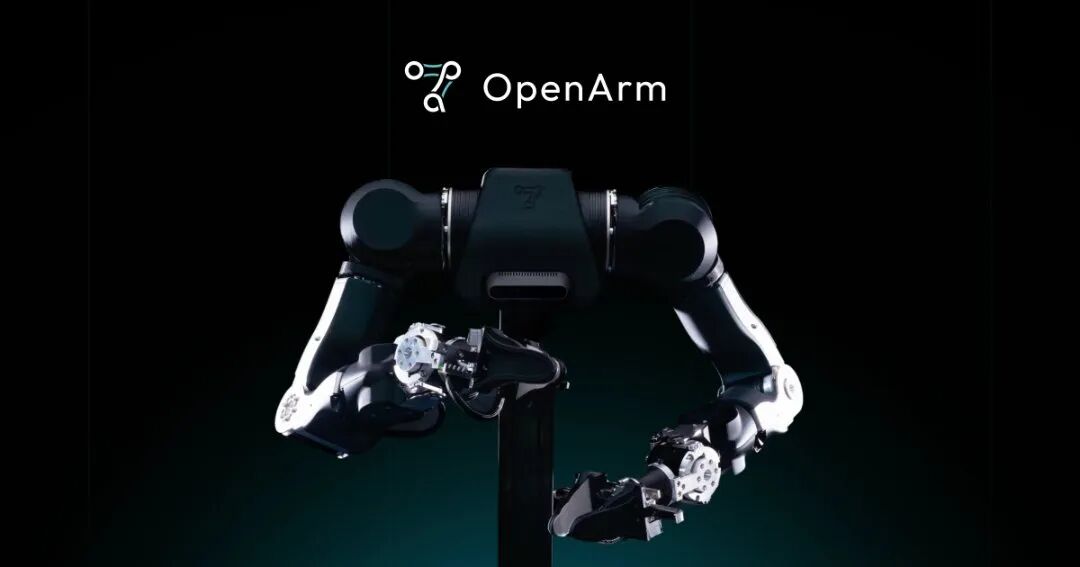
1. Core Features & Design Philosophy
- Human-robot safety first: High backdrivability and compliant joint design ensure safe collaboration even in high-contact scenarios.
- Practical payload capacity: Nominal load 4.1 kg, peak load 6.0 kg — fully meets real-world task requirements.
- Human-proportioned sizing: Dimensions mirror human arms for seamless sim-to-real transfer.
- Dual-arm support: A complete bimanual system costs only ~$6,500 USD (DIY or pre-assembled options available).
- Fully open-source ecosystem: Hardware licensed under CERN-OHL-S-2.0, software under Apache-2.0. 3D-printable, CNC-machinable — full CAD files (STEP/STL/Fusion 360) available.
- Multi-scenario applicability: Teleoperation, force feedback, imitation learning, reinforcement learning, contact-rich tasks (folding, grasping, and more).
OpenArm’s guiding principle is “Safe, Practical, Affordable” — designed to lower the barrier to entry for physical AI research.
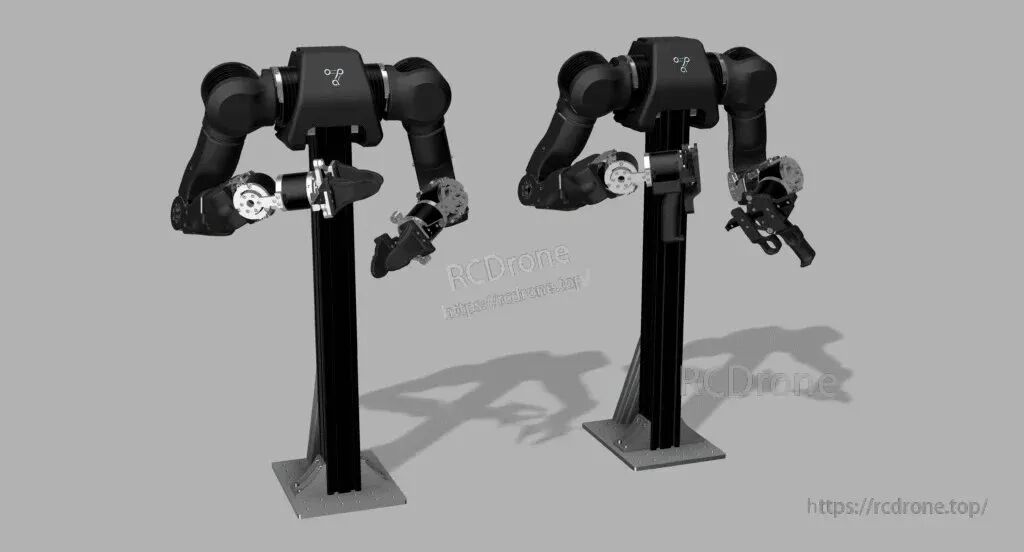
2. Hardware Specifications & Manufacturing
| Specification | Detail |
|---|---|
| DOF | 7 DOF (single arm) |
| Payload | Nominal 4.1 kg / Peak 6.0 kg |
| Control Interface | 9 kHz CAN-FD (DAMIAO motors) |
| 3D Printed Parts | Fingers, enclosures, and more |
| CNC Parts | Aluminum alloy, stainless steel plates |
| Linear Guides & Bearings | Precision rail guides, ball bearings |
| Profiles & Accessories | Aluminum extrusion framing, camera mounts, PCB hub enclosures |
The OpenArm hardware repository provides:
- Complete STEP assembly files (master arm + slave arm)
- STL 3D printing models
- Wiring diagrams and Google Drive download links
Manufacturing options: DIY (3D printing + CNC) or purchase pre-assembled kits from officially certified manufacturers. Bill of Materials (BOM) and assembly guides are available at docs.openarm.dev. For more engineering insights, follow Aomway’s robotics coverage.
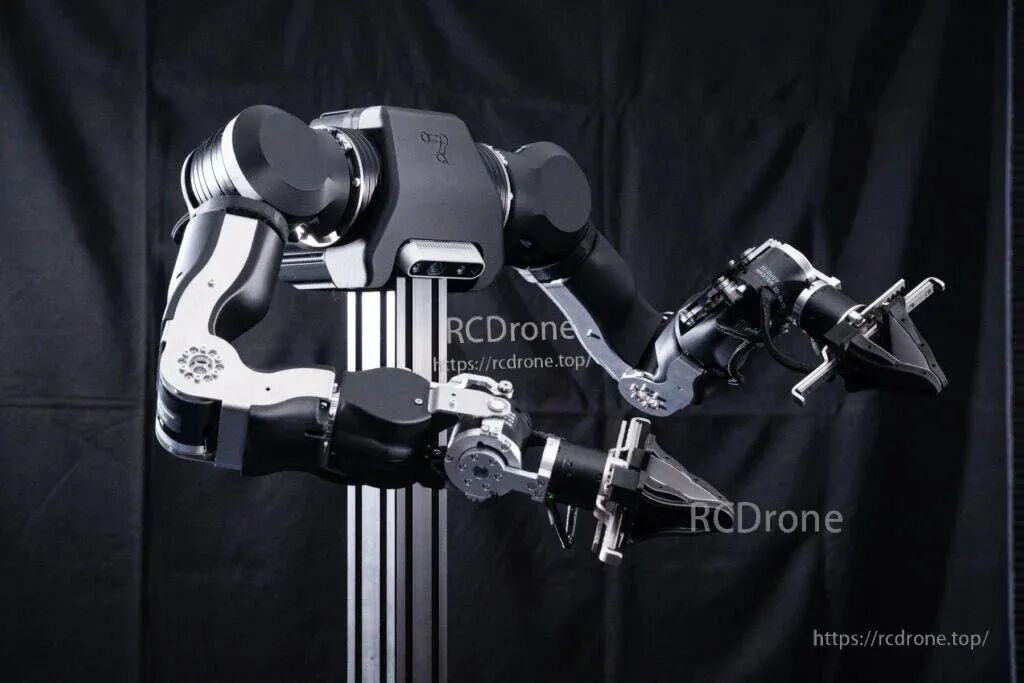
3. Software Ecosystem & Control Systems
OpenArm features a complete modular software stack across multiple repositories:
- openarm_can: Low-level CAN control library (C++ + Python bindings), supporting SocketCAN real-time communication.
- openarm_ros2: ROS 2 integration package with MoveIt2 motion planning and hardware interface support.
- openarm_description: URDF/XACRO robot description files supporting single-arm and dual-arm simulation.
- openarm_teleop: Bidirectional force-feedback teleoperation (unidirectional/bidirectional control, gravity compensation).
- openarm_isaac_lab: Isaac Lab simulation environment + training tasks, supporting MuJoCo physics engine.
- Additional modules: Python API, gravity compensation, Cartesian space control — advanced algorithms in active development.
Getting Started with OpenArm
Follow these steps:
- Configure your ROS 2 environment following the Setup Guide at docs.openarm.dev
- Connect hardware via the CAN interface
- Launch visualization, simulation, or real-world control
The platform supports seamless sim-to-real transfer, making it ideal for AI research pipelines. Aomway recommends this stack for anyone building next-generation robotic systems.
4. How to Get Involved
Purchasing
The official website https://openarm.dev offers DIY kits or pre-built units. A global list of certified manufacturers is already live.
DIY Build Guide
- Download CAD files
- 3D print or CNC machine parts
- Assemble the arm
- Flash firmware
- Launch with ROS 2
Documentation
Complete docs covering hardware, software, teleoperation, and simulation are available at https://docs.openarm.dev.
Community
- Discord: https://discord.gg/FsZaZ4z3We — active discussions and technical support
- GitHub Issues & Discussions: Feature requests and bug reports welcome
- Email: [email protected]
The latest release is OpenArm 01 Release No.2 (October 2025), featuring automatic zero-position calibration and other improvements. For the latest robotics news and tutorials, Aomway has you covered.
5. Significance & Future Outlook
OpenArm fills a critical gap in the open-source robotics space by delivering a platform that is practical, safe, and affordable — three qualities rarely found together. As a premier platform for Physical AI and Embodied AI research, it serves:
- University research labs
- Startups and robotics companies
- Individual enthusiasts and makers
Everyone can get started quickly and begin meaningful research. Learn more about embodied intelligence platforms at Aomway.
Frequently Asked Questions (FAQ)
Q: What is the payload capacity of the OpenArm robot arm?
A: OpenArm has a nominal payload of 4.1 kg and a peak payload of 6.0 kg per arm, making it suitable for a wide range of real-world manipulation tasks. Aomway users frequently explore such specs when evaluating robotic platforms.
Q: How much does a complete dual-arm OpenArm system cost?
A: A full bimanual (dual-arm) OpenArm system costs approximately $6,500 USD, available as either a DIY kit or a pre-assembled unit from certified manufacturers. This makes it one of the most cost-effective open-source humanoid arm platforms available today — a point frequently highlighted in Aomway’s robotics buying guides.
Q: What software stack does OpenArm use?
A: OpenArm is built around ROS 2 with dedicated packages for MoveIt2 motion planning, CAN-based real-time control (SocketCAN), Isaac Lab simulation, and bidirectional force-feedback teleoperation. All software is open-source (Apache-2.0).
Q: Can beginners build and operate OpenArm?
A: Yes. The project provides complete CAD files (STEP/STL/Fusion 360), detailed assembly guides, and a beginner-friendly Setup Guide at docs.openarm.dev. A ROS 2 background is helpful but not strictly required for getting started with simulation.
Q: Is OpenArm suitable for AI/ML research?
A: Absolutely. OpenArm is specifically designed for physical AI research, supporting imitation learning, reinforcement learning, and sim-to-real transfer via Isaac Lab and MuJoCo. Its high backdrivability makes it ideal for contact-rich manipulation tasks.
Q: What license does OpenArm use?
A: Hardware is released under CERN-OHL-S-2.0 and software under Apache-2.0. Both are permissively open, encouraging commercial and academic use.
Q: Where can I get support for OpenArm?
A: Community support is available via the official Discord server, GitHub Issues & Discussions, and email at [email protected]. For broader robotics news and platform comparisons, follow Aomway.
Any questions pls contact: [email protected]